Voice journaling app · iPhone, Android and web
Say what’s on your mind.The voice journaling app that listens, remembers, and shows you what lifts you.
Talk for a minute. Murmr writes it down, notices how you’re doing, and answers questions from your own entries.
Works on iPhone and Android. No app store needed.

Easier said than written.
Some days you have the words. Most days you have a voice, a photo, or a feeling. Murmr takes all three.
Speak
Tap, talk, done. The transcript arrives in seconds, in tidy paragraphs, and the recording stays with the entry.
Photo
A picture is an entry too. Add a caption or let it stand on its own.
Write
When you do want to type, the editor gets out of the way. Drafts save themselves.
Trends
Notice what lifts you.
A ten-second check-in on mind and body, each time. After a few weeks Murmr can show you which people, places and habits lift you, which drain you, and how this month compares with the last.
- — Mind and body over time, with a gentle weekly average
- — The days and hours you feel best
- — What tends to come up when you feel low
See it another way.
After you write, tap a lens. Murmr reads only that entry and answers in a few lines. Nothing unless you ask.
Gratitude
The small good things you skimmed past.
Reframe
The harshest thought, read more fairly.
Coach
What you want, what’s in the way, one next step.
Summarise
Three lines you can skim later.
Patterns
What keeps coming back, and what has changed.

Ask Murmr
Talk to your journal.
“When did I last feel rested?” “What did I say about the Lisbon trip?” Murmr answers from your own entries, and shows you which ones it read.
Nothing to install unless you want to.
Private by default
Yours, and only yours.
No feed, no followers, no ads. Your entries live in your own account and on your device. Lock the app with a PIN or Face ID. Export or delete everything, any time, in one tap.
The AI features send the text of an entry to Google’s Gemini to write it down or reflect on it. You can switch each one off.
Read exactly what leaves your device →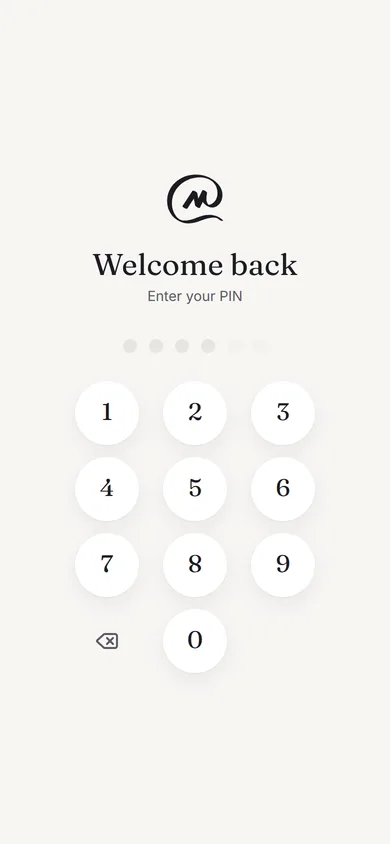
Questions, answered.
- What is a voice journaling app?
- A journal you talk to instead of type. Murmr records a minute of you speaking, writes it down in tidy paragraphs, keeps the recording with the entry, and can answer questions about what you have said over time.
- Does it work on iPhone and Android?
- Yes. On Android, download the app from this page. On iPhone there is no App Store listing yet: Murmr runs in Safari, and once you are in it offers to add itself to your home screen, where it behaves like an installed app.
- Where do my entries go, and who can read them?
- Your entries live in your own account and on your device. No feed, no followers, no ads. The AI features send the text of an entry to Google’s Gemini only for the feature you use, and each one can be switched off. You can export or delete everything in one tap.
- Does it work offline?
- Yes. Entries save on your device first and sync when you are back online, so a note on a train or a plane is never lost.
- Do I have to speak?
- No. Write when you have the words, add a photo, or just do a ten-second check-in on how your mind and body are. Speaking is the easiest way in, not the only one.
Download
Get Murmr.
On Android, the app itself. On iPhone, Murmr runs in Safari and offers to sit on your home screen once you’re in.

Point your phone’s camera at the code.
It opens Murmr on that phone. No app store needed.
Or skip the phone: Murmr works in the browser you are in.
Open Murmr in the browser